
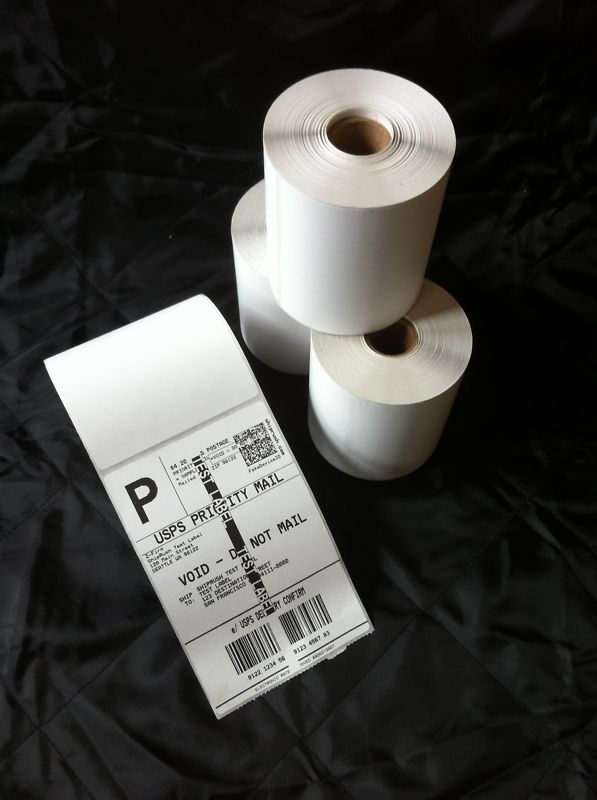
8 Rolls 250 4×6 Direct Thermal Labels Zebra LP2844 Eltron

Choose 8 rolls 250 thermal labels from ValueMailers for package labeling. 8 rolls with 250 labels per roll, for 2000 labels total. Listed label size: 4 x 6 inches. Print method: direct thermal. Listed core: 1 inch. Use a compatible direct thermal printer that supports this media format. First, check one sample before printing a full batch.

8 rolls 250 thermal labels: Pack and Format Details

  • Roll quantity: 8 rolls.
  • Labels per roll: 250.
  • Total labels: 2000.
  • Listed label size: 4 x 6 inches.
  • Print method: Direct thermal.
  • Core: 1 inch.

Keep the label text and any barcode easy to read on the finished package. Also, choose a flat area with enough room for the whole label. Avoid placing important print across a fold, edge or carton seam.

Before printing 8 rolls 250 thermal labels, check the printer’s media requirements and your template. Match the label size and layout to the job. Then run one sample. A small alignment check can help you spot a layout problem before using more of the pack.

How to Use 8 rolls 250 thermal labels

  1. First, select a template for the listed label format.
  2. Check the printer’s loading and media instructions.
  3. Next, load a small amount of the correct stock.
  4. Print one sample and inspect the text and alignment.
  5. Then print the required batch once the layout is correct.
  6. Finally, check each finished label before applying it to a package.

When working with 8 rolls 250 thermal labels, keep the print area free of smudges, creases and damage. Check that the address and barcode are complete. If the sample does not align, adjust the layout before printing more labels.

Keep Label Stock Ready Between Jobs

Store your 8 rolls 250 thermal labels in a clean, dry area. Keep the unused stock tidy and away from dust or rough surfaces. Also, handle the print surface carefully as you load the next batch.

For repeat jobs, record the template and printer setup that gave a clear sample. Check the settings again when the printer, software layout or label format changes. A short setup note helps staff prepare the next batch with the same arrangement.

Browse ValueMailers packing supplies for other listed label formats and packaging. Compare the label dimensions, pack count and print method before ordering. Then check the finished parcel so its shipping information remains visible and easy to read.

Why Buy From Us?

Description

Choose 8 rolls 250 thermal labels from ValueMailers for package labeling. 8 rolls with 250 labels per roll, for 2000 labels total. Listed label size: 4 x 6 inches. Print method: direct thermal. Listed core: 1 inch. Use a compatible direct thermal printer that supports this media format. First, check one sample before printing a full batch.

8 rolls 250 thermal labels: Pack and Format Details

  • Roll quantity: 8 rolls.
  • Labels per roll: 250.
  • Total labels: 2000.
  • Listed label size: 4 x 6 inches.
  • Print method: Direct thermal.
  • Core: 1 inch.

Keep the label text and any barcode easy to read on the finished package. Also, choose a flat area with enough room for the whole label. Avoid placing important print across a fold, edge or carton seam.

Before printing 8 rolls 250 thermal labels, check the printer’s media requirements and your template. Match the label size and layout to the job. Then run one sample. A small alignment check can help you spot a layout problem before using more of the pack.

How to Use 8 rolls 250 thermal labels

  1. First, select a template for the listed label format.
  2. Check the printer’s loading and media instructions.
  3. Next, load a small amount of the correct stock.
  4. Print one sample and inspect the text and alignment.
  5. Then print the required batch once the layout is correct.
  6. Finally, check each finished label before applying it to a package.

When working with 8 rolls 250 thermal labels, keep the print area free of smudges, creases and damage. Check that the address and barcode are complete. If the sample does not align, adjust the layout before printing more labels.

Keep Label Stock Ready Between Jobs

Store your 8 rolls 250 thermal labels in a clean, dry area. Keep the unused stock tidy and away from dust or rough surfaces. Also, handle the print surface carefully as you load the next batch.

For repeat jobs, record the template and printer setup that gave a clear sample. Check the settings again when the printer, software layout or label format changes. A short setup note helps staff prepare the next batch with the same arrangement.

Browse ValueMailers packing supplies for other listed label formats and packaging. Compare the label dimensions, pack count and print method before ordering. Then check the finished parcel so its shipping information remains visible and easy to read.

Additional information

Weight 10 lbs

Reviews

There are no reviews yet.

Be the first to review “8 Rolls 250 4×6 Direct Thermal Labels Zebra LP2844 Eltron”
Select the fields to be shown. Others will be hidden. Drag and drop to rearrange the order.
  • Image
  • SKU
  • Rating
  • Price
  • Stock
  • Availability
  • Add to cart
  • Description
  • Content
  • Weight
  • Dimensions
  • Additional information
Click outside to hide the comparison bar
Compare
0
0
Your Cart
Your cart is emptyReturn to homepage