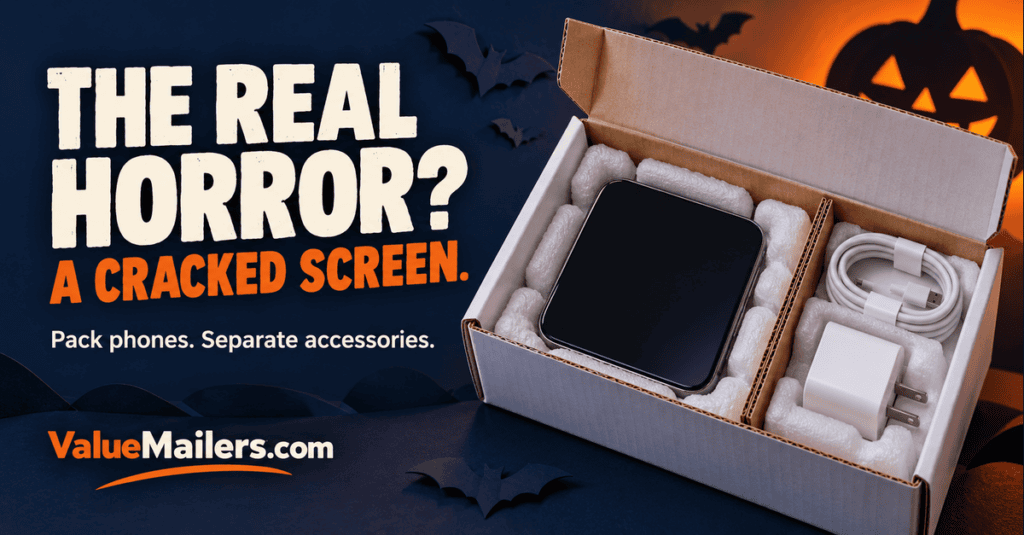
Shipping cell phones with accessories this Halloween? Use a rigid outer box, protect the screen, and give each hard accessory its own space. Then check the battery rules for the actual device and shipping service. A phone, charger, and cable may sell as one bundle, but they should not bounce around as one loose pile.
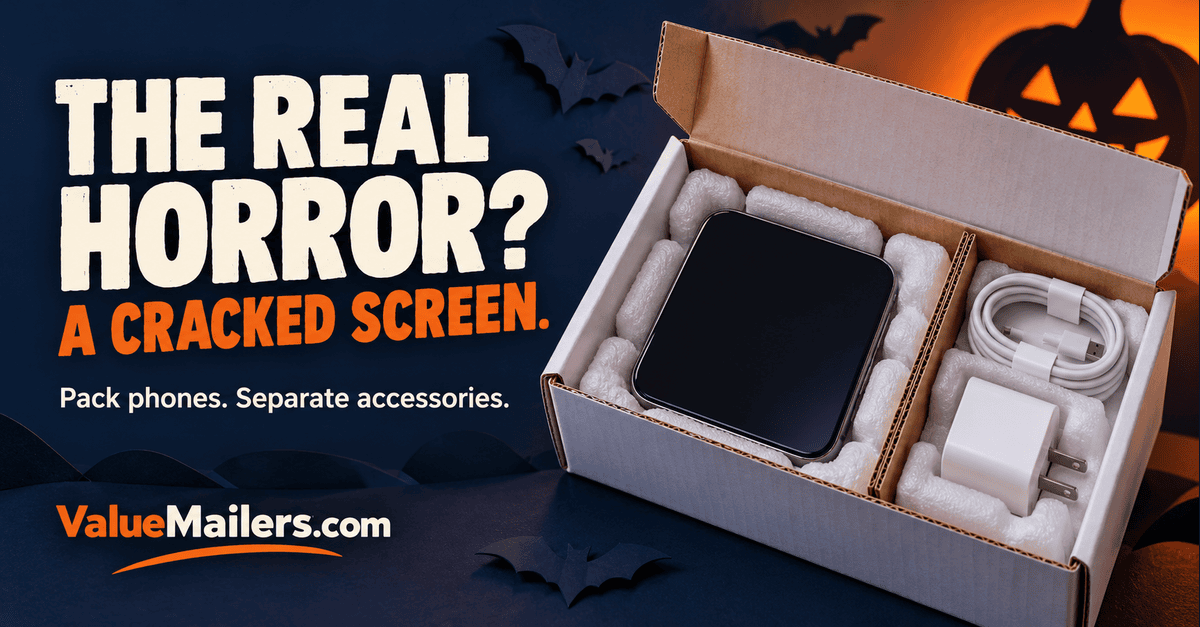
The real horror is not the pumpkin on the packing slip. It is the charger plug that meets the screen halfway to your customer. A Halloween bundle can look great when it leaves your desk and still arrive with scratched glass, crushed retail packaging, or a missing cable. Build the protection first. Add the seasonal presentation last.
Shipping cell phones: start with the battery check
Before you pick a box, identify what is in the order. A plain case or cable has different shipping needs from a phone, wireless earbuds, or a power bank. Battery type, condition, quantity, and whether the battery is installed affect the available services and required packaging.
For domestic USPS shipments, Packaging Instruction 9D requires rigid, sealed outer packaging for typical lithium-battery phone shipments. Its narrow padded-bag exception concerns certain button-cell equipment. A bubble envelope alone is therefore not the right outer package for an ordinary smartphone mailed under these rules.
USPS also restricts eligible used electronic devices containing lithium batteries to domestic surface transportation. Its exceptions include devices new in original packaging and manufacturer-certified new or refurbished devices. Check the current eligibility, quantity, and marking requirements before buying postage. Do not assume a seller’s “refurbished” description meets a manufacturer-certified exception.
A damaged device and a damaged battery are different problems. USPS generally prohibits damaged, defective, or recalled batteries unless specifically approved. If a battery is swollen, leaking, recalled, or otherwise suspect, stop the normal packing process and ask the manufacturer and carrier for the appropriate handling route. Choosing a ground label alone does not make it acceptable.
Power banks and spare batteries need their own carrier check. Do not assume they follow the same rules as a battery installed in a phone. Likewise, confirm the selected carrier’s current requirements for international orders, charge level, marks, and acceptance before dispatch.
The haunted bundle: four things that should never roam free
Accessories can damage the main product when the package moves. A wall charger has hard corners and projecting prongs. Cable connectors can rub polished surfaces. Glass screen protectors can crack under pressure. Meanwhile, loose adapters can disappear into the packing material and look missing to the buyer.
When shipping cell phones in bundles, choose packaging by the complete order, rather than by the phone’s dimensions alone. Use this quick sorting guide before reaching for tape.
| Item in the order | Main packing concern | Practical approach |
|---|---|---|
| Phone or boxed phone | Screen pressure, movement, and battery requirements | Protect the surface, cushion all sides, and use suitable rigid outer packaging. |
| Wall charger and cable | Prongs and connectors striking the phone | Pack separately and secure them in another compartment or small inner carton. |
| Case or glass screen protector | Bending, scuffs, and crushed retail packaging | Keep the case separate; give glass products rigid support without point pressure. |
| Earbuds, power bank, or spare battery | Battery classification as well as physical damage | Identify each battery item and confirm its carrier requirements before packing the bundle. |
Five steps for shipping cell phones and accessories
1. Check the order and record its condition
Match the phone model, storage, color, and included accessories to the order. For resale phones, document the screen and housing condition and record the device identifier in your private order records. Keep that identifier out of public packing photos and exterior labels.
Next, follow the device maker’s preparation instructions. Power the phone off and prevent accidental activation. For a personal resale device, complete the appropriate backup, account removal, and reset before packing. Do not remove or alter a sealed new device simply to follow a used-phone checklist.
2. Protect the screen without adding pressure
Use a clean, non-abrasive surface layer and device-appropriate cushioning. Protect corners and raised camera areas as well as the front glass. Tape should secure the wrapping, not touch the screen, buttons, or finish.
A sound original insert can help hold the device in place. However, a retail box is not automatically a complete parcel-shipping package. Inspect the insert and outer carton, then add the protection needed for the actual shipping route.
3. Give every accessory a home
Coil cables loosely and secure them without sharply bending the ends. Cover exposed charger prongs with suitable protective packaging, then keep the charger away from the phone. Use a divider or small inner carton so the accessory cannot migrate across the box.
Bubble Pouches can provide individual cushioning for suitable accessories. Select them by the wrapped item’s dimensions. For fragile adapters or rigid cases, Bubble out bags can serve as an inner layer before the item goes into its own protected space. Ordinary cushioning is not proof of electrostatic protection; check material specifications when handling sensitive components.
4. Choose a box for shipping cell phones
Start with the packed phone and separated accessories. Then select white corrugated boxes with enough room for cushioning, without leaving a large empty cavity. Nothing hard should press against the screen when you close the lid.
For a compact bundle, white corrugated mailer boxes offer a structured format. Larger orders may call for white corrugated shipping boxes with room for separate inner packs. Measure the usable interior before choosing a size.
For small accessory-only kits, compare the 6 × 4 × 4 white corrugated mailer against your packed contents. That size is not a universal phone box. A long phone or retail package may need a different footprint.
5. Check movement, close, and label
Fill gaps so the phone and each accessory stay in their own spaces. Close the lid without force and gently move the package to check for shifting. If anything rattles or slides, reopen and correct the fit. This simple check does not replace carrier packaging requirements or formal transit testing.
Finally, seal the package securely, measure its finished dimensions, and weigh it. Apply the correct address label and all required battery marks. Keep decorative stickers away from barcodes, addresses, seams, and required markings.
When is a bubble mailer enough?
Bubble Mailers can suit some lightweight, non-fragile, battery-free accessories, such as a flexible case or a properly protected cable. They do not provide the same resistance to crushing as a rigid box.
Switch to a box when the order includes a phone, fragile glass, projecting hardware, or retail packaging that must stay pristine. For accessory-only orders, our phone-case packing guide explains how material and shape affect the choice. Our small-electronics shipping guide provides broader packing context.
Shipping cell phones with a Halloween surprise
Add a printed Halloween thank-you card above the protected contents, or use a seasonal sticker where it will not cover essential markings. Keep loose glitter, confetti, and decorative fibers away from charging ports, speakers, and adhesive closures.
A short contents card can also prevent confusion: phone, case, cable, charger, and any other promised items. Check off each item before closing the parcel. A tiny adapter hidden under a handful of fill can become a customer-service issue even when it arrived safely.
Before your phone order leaves the packing bench
- Confirm the exact phone and every promised accessory.
- Check battery condition, carrier eligibility, and required markings.
- Power off the device and prevent accidental activation.
- Protect glass, corners, finishes, and protruding parts.
- Keep chargers and connectors away from the phone.
- Choose a rigid box that closes without pressure and prevents movement.
- Verify the final weight, dimensions, address, and readable labels.
Shipping cell phones should end with a working device and a complete order. Keep the Halloween drama in the presentation. A well-fitted box, separate accessory spaces, and the right battery-shipping check help keep the real surprises out of the parcel.